
24 May 2026
Post by usertopnews
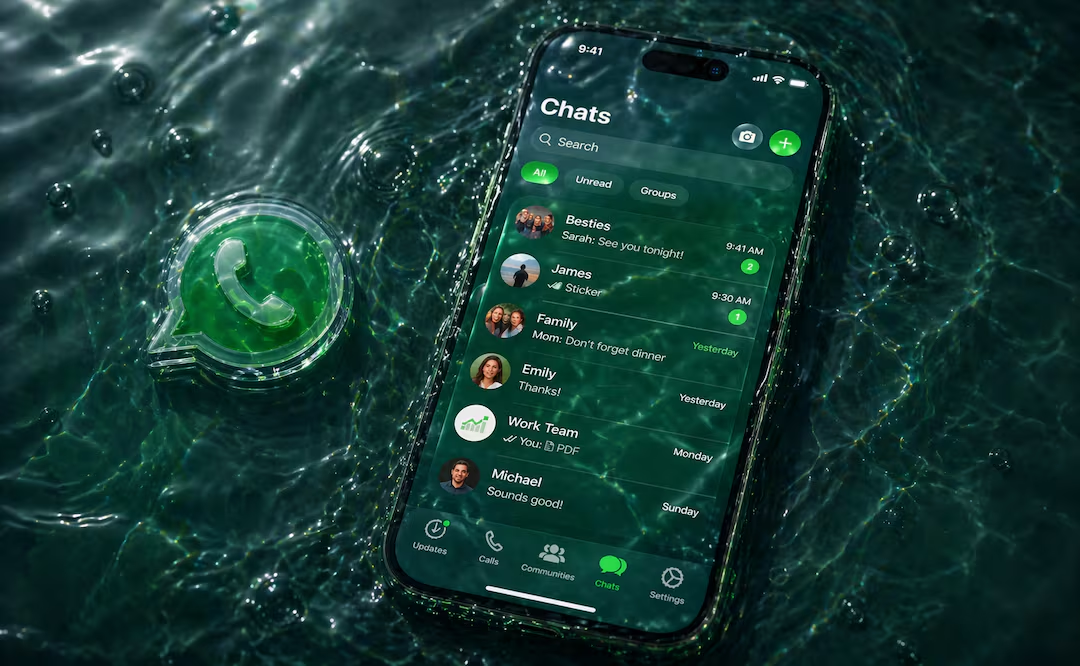
WhatsApp’s latest update is making waves among iPhone users, thanks to its most ambitious visual overhaul in years. Dubbed “Liquid Glass,” this redesign introduces transparency effects and a fresh, modern interface that completely changes the in-app experience.
The rollout of “Liquid Glass” has already begun for select devices, but not everyone will see it just yet. Here’s what we know so far—and how you can check if it’s live on your phone.
What Is WhatsApp “Liquid Glass” and Why Is Everyone Talking About It?
“Liquid Glass” is WhatsApp’s new visual language, aiming for a lighter, more contemporary look. Inspired by iOS 26 design principles, it uses translucent layers that let you glimpse the app’s background, creating a sense of depth and fluidity. Instead of solid blocks, elements now appear to “float” on your screen.
Key changes include:
– A semi-transparent bottom navigation bar
– Translucent buttons and menus
– Automatic adaptation to light and dark modes
– A more dynamic, visually engaging experience
This update is all about modernizing WhatsApp’s look without changing how it works—crucial for keeping things familiar for millions of users.
While “Liquid Glass” doesn’t add new features, it does change how you perceive the app. For example, when you open a chat or bring up the keyboard, you’ll now see subtle background colors shining through, making the interface feel cleaner and less cluttered.
According to WABetaInfo, Meta is testing this design with a limited group of users before a global release.
Who Can Use WhatsApp’s “Liquid Glass” Right Now?
At the moment, not everyone can access this update. You’ll need to meet these conditions:
– Have an iPhone
– Download WhatsApp version 26.14.76 from the App Store
– Be part of the select group chosen for the test (even with the right version, you might not see the redesign yet)
How to Check If “Liquid Glass” Is Active on Your Device
There are two quick ways to see if you have the new design:
1. Look at the app’s bottom bar—if it appears floating, rounded, and transparent, you’ve got the update.
2. Open a chat and bring up the keyboard—if the background shows a translucent effect with conversation colors, the new interface is enabled.
For now, “Liquid Glass” is a glimpse into WhatsApp’s visual future—one that’s rolling out gradually, so keep an eye on your app for these changes.


1 comentario